How to Integrate Facebook Lead Ads with ActiveCampaign
Here's how to send your Facebook Lead Ad leads to ActiveCampaign with LeadSync.me.
-
Sign-up to a LeadSync Business account and login.
-
Once logged in, go to Connections, then hit the Add Connections button.

- Select ActiveCampaign from the dropdown menu.
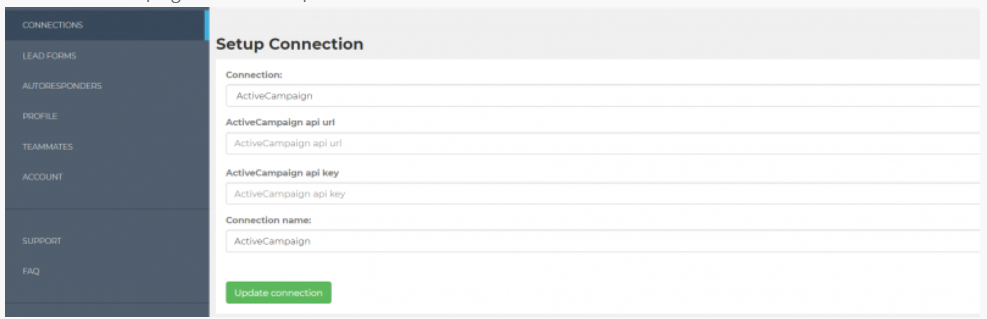
- Next, you need to login to your ActiveCampaign account and find your developer URL and API key. Login and click on Billing & Upgrade (1.), then Developer (2.).
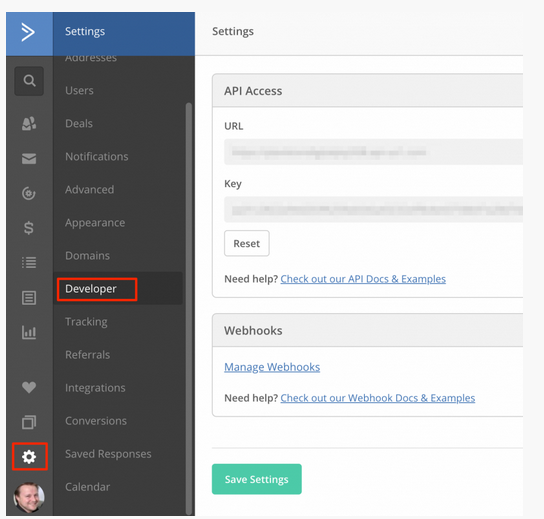
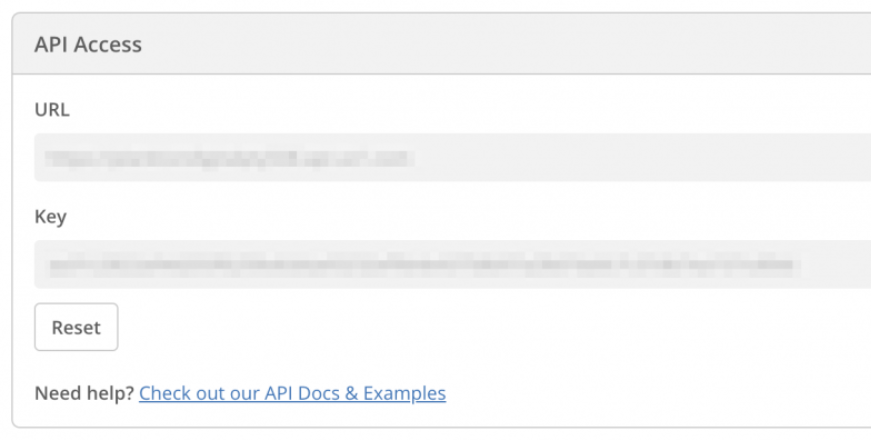
- Now copy your API Key and URL.
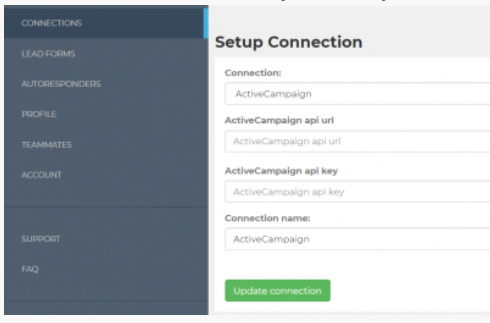
- And paste both API url and API key into LeadSync
-
Hit Update Connection
-
Now go to the Lead Forms section and click on the Add Facebook Lead Form button.
-
Select your Page and the Form you're using in your Ads, then select the ActiveCampaign connection you just added
-
Select the list you'd like your leads to be added to, then click Update and you're done.
Here's how to test your connection. This should add a test lead to ActiveCampaign.
Connect Facebook / Meta Leads to ActiveCampaign
Start syncing leads from your ad platform in under 2 minutes. No credit card required.
Start Free Trial