Send Leads to Multiple Email Addresses
There are two ways to send leads to more than one person:
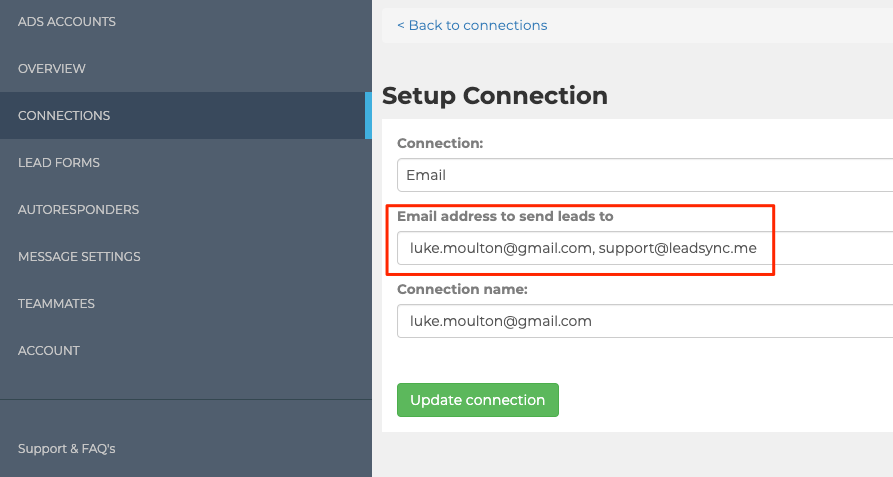
- In Email connection setup, add multiple email addresses by comma separating them:
- Add multiple Email connections and pair each one with your Lead Form.
Choose how leads are distributed
When you list more than one recipient on an Email connection, you can choose how leads are shared between them using the How should leads be distributed? option:
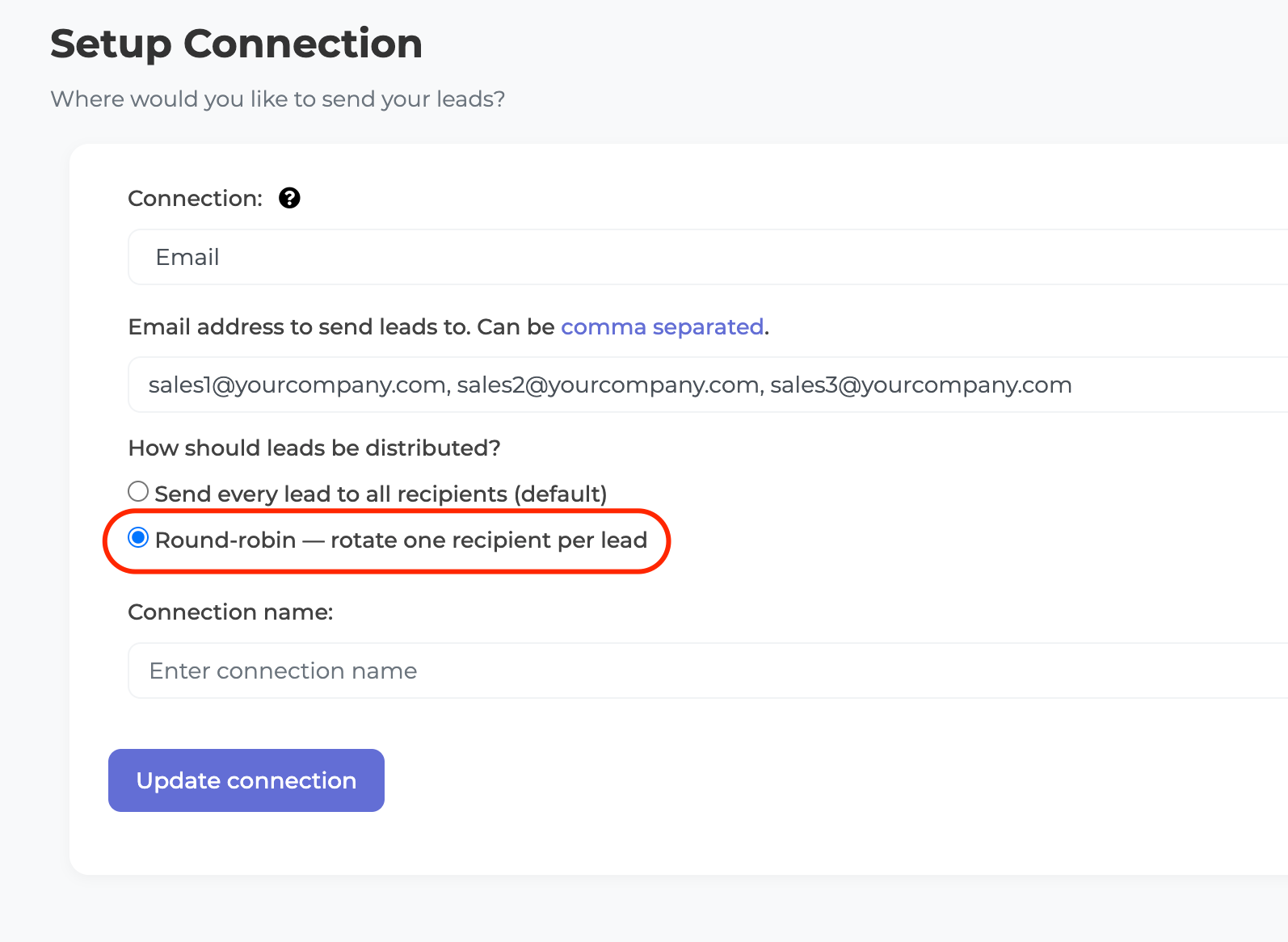
- Send every lead to all recipients (default). Every recipient receives a copy of every lead. This is the original behaviour and is best when the whole team needs visibility of all incoming leads.
- Round-robin: rotate one recipient per lead. Each new lead goes to the next person on the list, one at a time, cycling back to the start after the last recipient. This spreads leads evenly across your team without sending everyone every lead, so each team member follows up their own share.
How round-robin works
With three recipients (alice@, bob@, carol@), the first lead goes to Alice, the second to Bob, the third to Carol, the fourth back to Alice, and so on. The rotation is shared across every form paired with that connection, so leads keep cycling evenly no matter which form they came from.
A few things worth knowing:
- The rotation is tied to the connection. If you edit the recipient list later, leads simply continue rotating across the new list.
- If a lead fails to send and is retried, the retry goes to the next person in the rotation.
- With only one recipient, round-robin has no effect: that single address receives every lead.
Round-robin is ideal for sales teams who want to share inbound leads fairly without paying for a CRM. If you also need leads in a CRM or spreadsheet, add those as separate connections alongside the email one.
When should I use round-robin instead of rules-based routing?
Use round-robin when you want a fair, even split with no setup: each new lead simply goes to the next person on the list. Reach for rules-based routing (the kind CRMs like Salesforce or HubSpot offer) when the assignment needs to depend on the lead itself, such as territory, product interest, language, or rep availability. If none of those apply, round-robin is the simpler choice.
For a wider look at lead distribution options and where round-robin fits among the alternatives, see Lead Distribution Software in 2026.