How to Reset Business Account Lead Access Permissions
If you're not receiving leads from a Page connected via a Business Account, or you receive the error "CRM access has been revoked from Lead Access Manager" when for our LeadSync Business Manager app # 559339176323491 when creating a test lead, this may be due to someone setting customer access to leads in Facebook Business Manager or Meta resetting permissions.
To reset lead access for Business Account, please do as follows:
- Firstly, you will need to have admin access to the connected Business Manager account.
- Go to https://business.facebook.com/latest/home
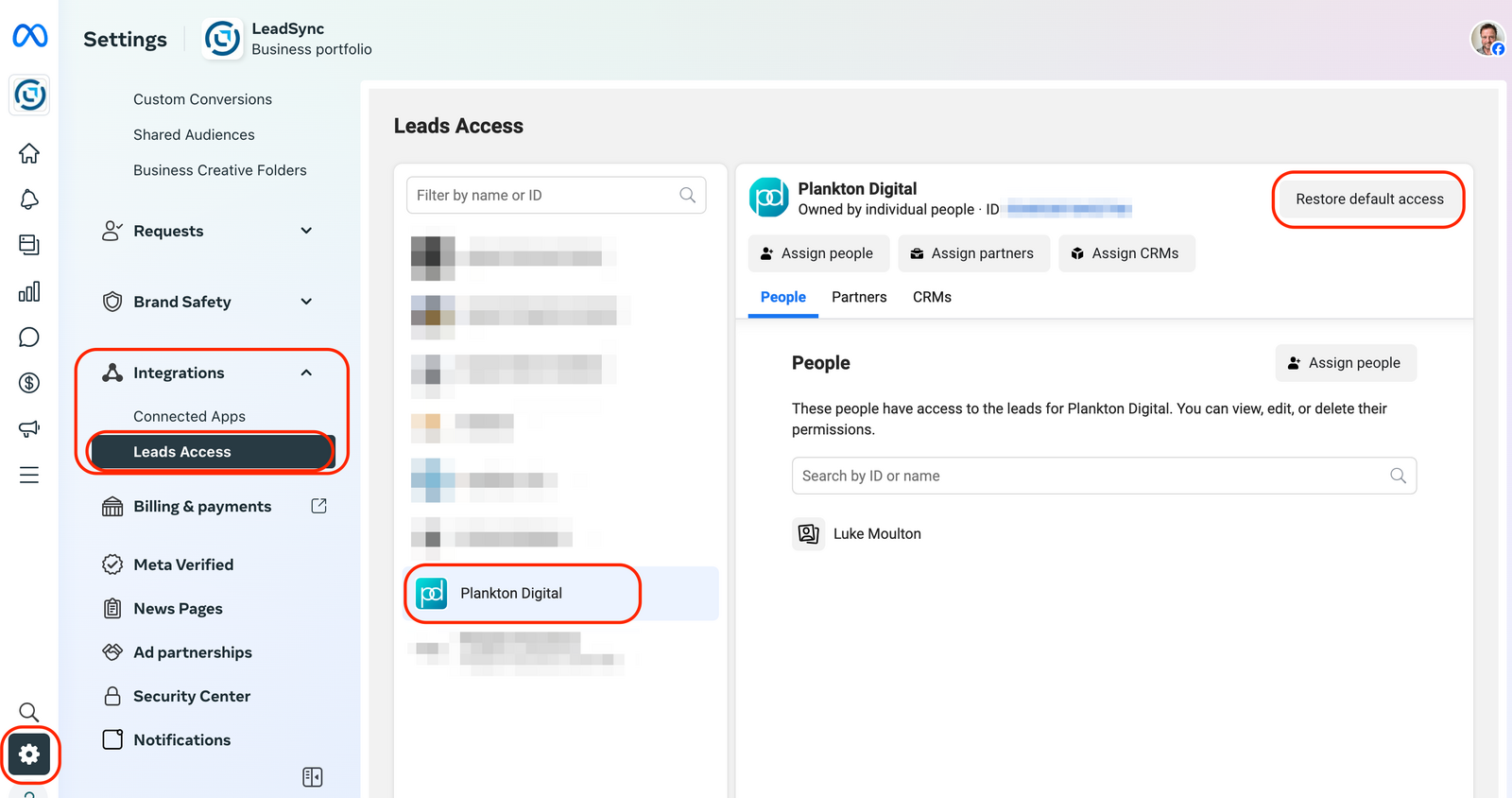
- Click in the Settings icon at the bottom left of your screen.
- Under Integrations, click Lead Access, then click Restore default access
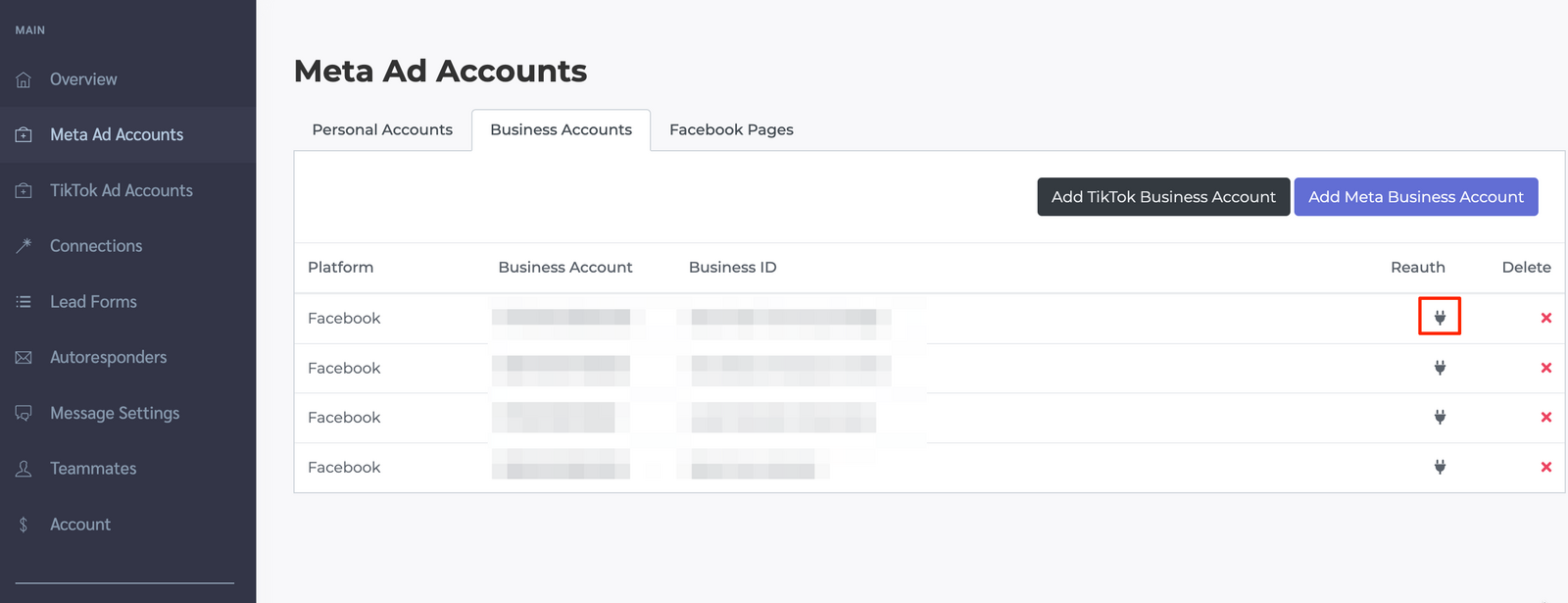
- In your LeadSync account, go to your Meta Ad Accounts section and Reauthorize you Facebook business account.
- Try creating a new test lead https://leadsync.me/blog/test-facebook-lead-ads/
Will this break my other CRMs?
Short answer: no.
When Meta shows the confirmation dialog, it warns that "any changes you've made to permissions in the past will be removed." That wording scares a lot of people — especially if they also run PushPress, HubSpot, Mailchimp, Zapier, or any other CRM on the same page.
Here's what Restore default access actually does:
- It re-grants default lead access to every Page admin and every connected CRM — not just LeadSync
- It only reverts custom permission tweaks (e.g. someone previously removing a specific user or CRM from lead access)
- Any CRM that was receiving leads before the reset will keep receiving them after the reset
In practice, if another CRM had a silent permission drift of its own, the reset often fixes that too as a side effect. The only scenario where you'd lose anything is if a prior admin had explicitly granted elevated, non-default permissions to a specific integration — and for 99% of businesses that never happens.