How do I remove LeadSync from Facebook?
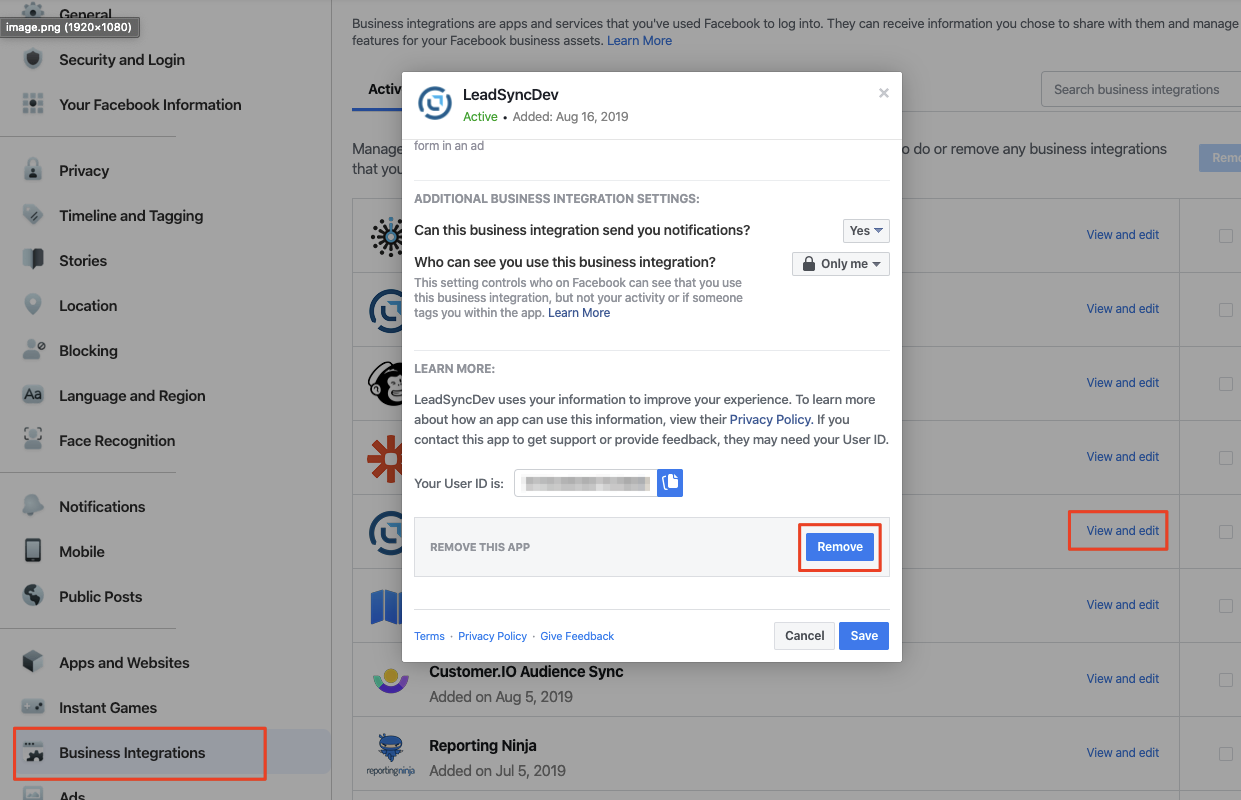
To revoke and remove LeadSync’s access to your Facebook profile and page, follow these steps:
- Login to Facebook and click the down arrow icon at the very top right of your screen.
- Click Settings & Privacy > Settings,
- Find and click on Business Integrations from the menu on the left
- Find the LeadSync app and click View and edit
- Scroll down and click the Remove button.