How to Set Up Google Lead Ads Email Notifications
How to set up Google Lead Ad email notifications for instant access to leads.
With LeadSync, you can setup Google Lead Ad email notifications. Here's how:
-
Login to your LeadSync account and click Connections, then the Add Connection button.
-
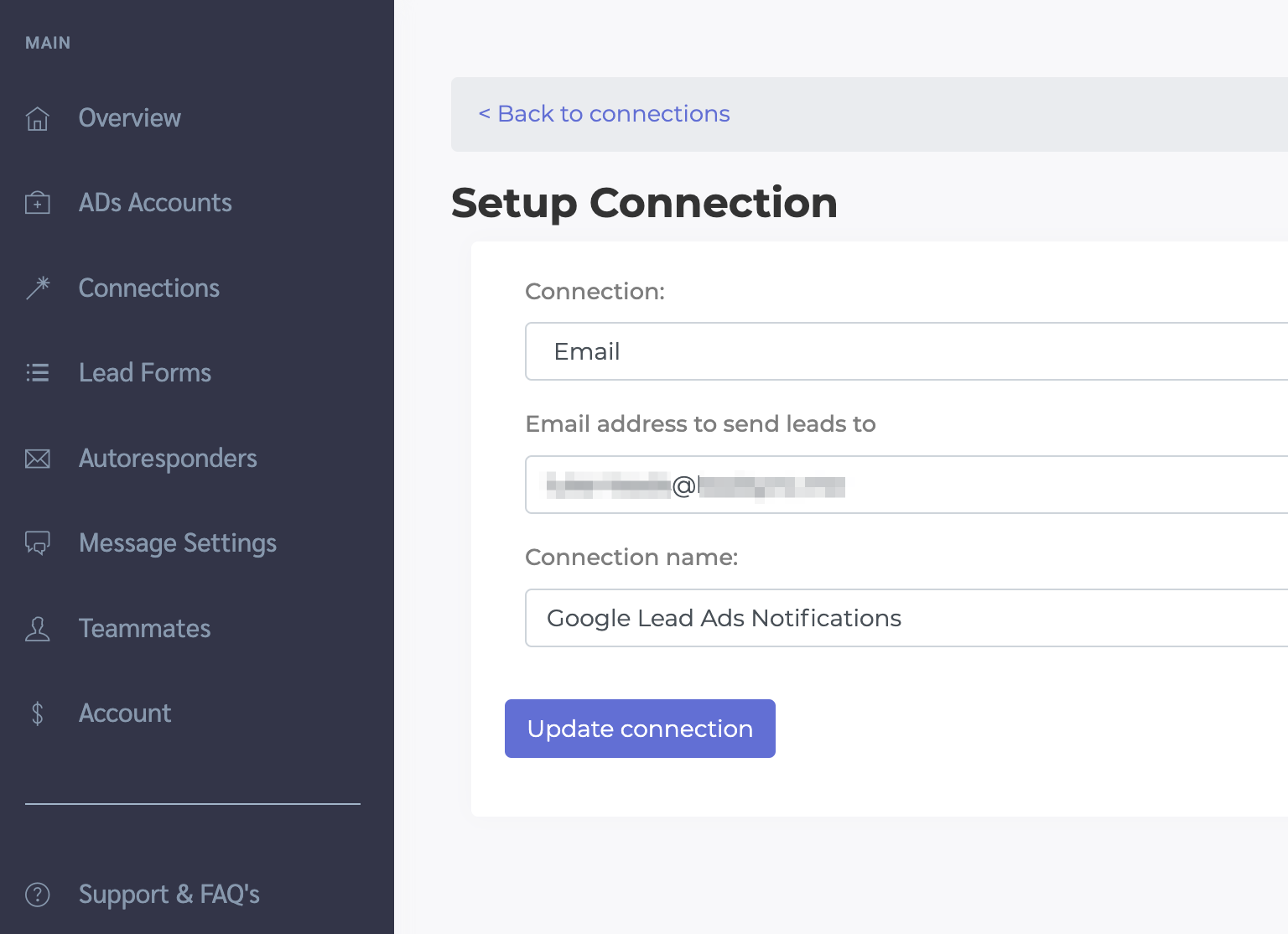
In the Setup Connection form, select Email from the Connection drop down, enter the email address to send lead data to, then name your connection. Click Update Connection.
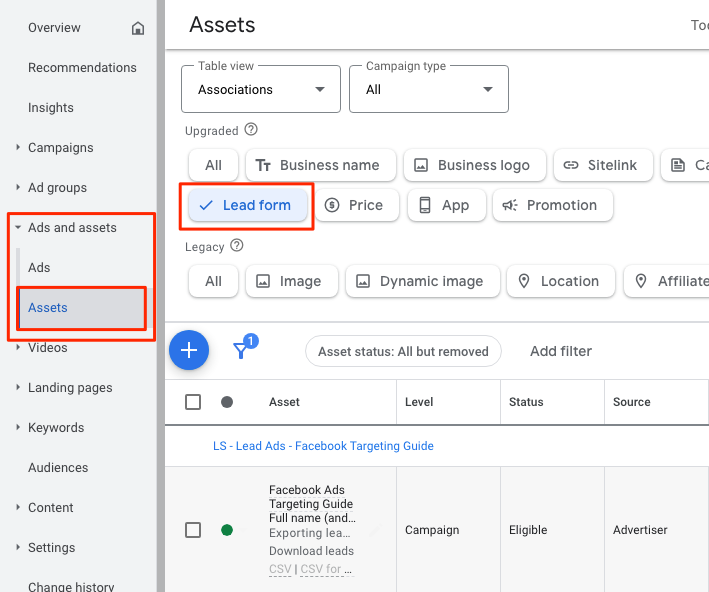
- In your Google Ads account, find the lead form you're using for your Google Lead Ads:
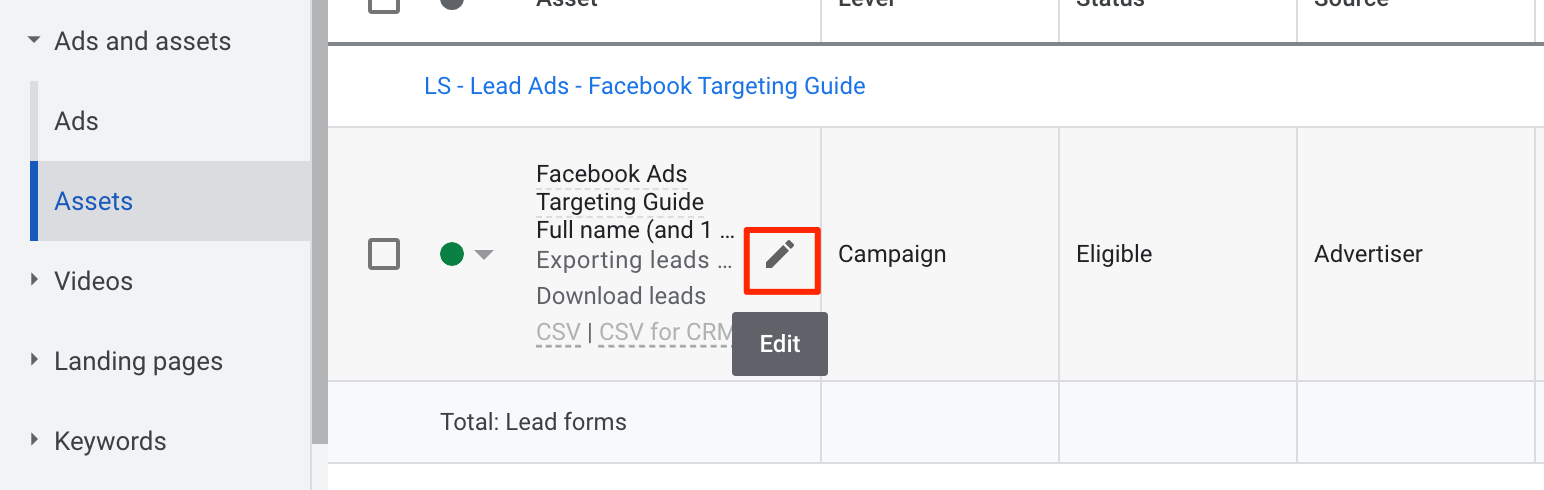
- Click to edit your Google lead form
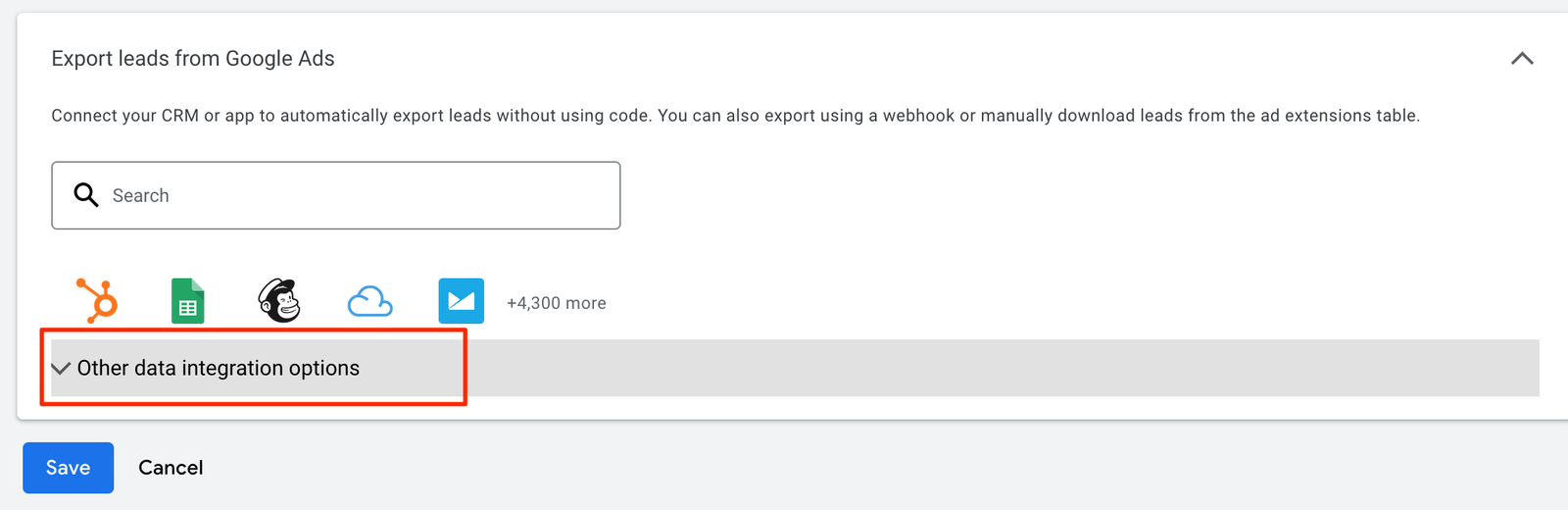
- Scroll to the bottom of the lead form settings page and click "Other data integration options" in the Export leads from Google Ads section
-
In a separate browser tab, login to your LeadSync account and go to the Lead Forms section. Click on the "Add Google Lead Form" button.
-
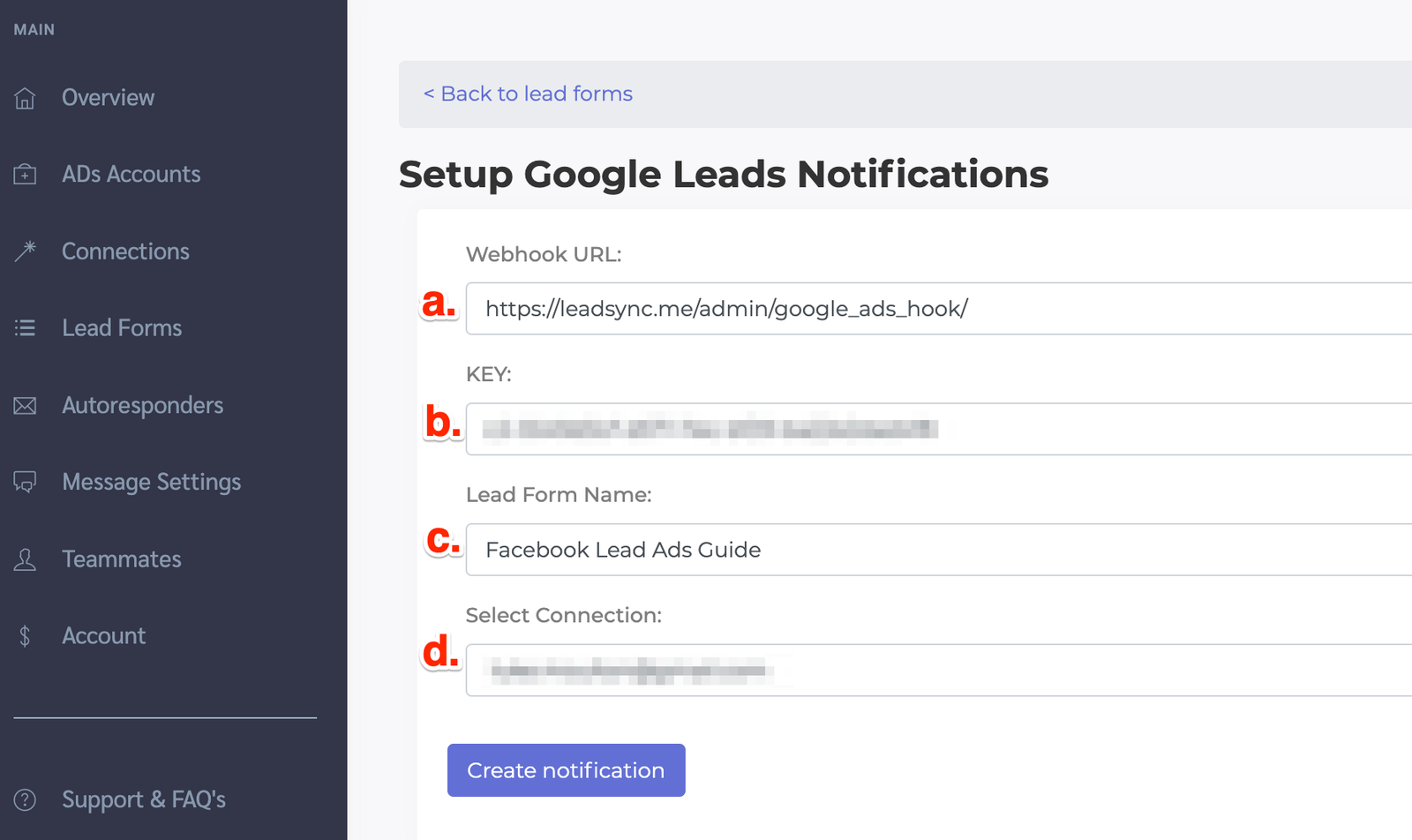
Copy and paste the Webhook URL (a.) and the Key (b.) from the LeadSync into the relevant fields in your Google lead form
-
Enter a name for your Google lead form in LeadSync (c.), then select the Email connection you wish to send your Google leads to (d.), then click Update notification to complete your Google lead email notification setup.
-
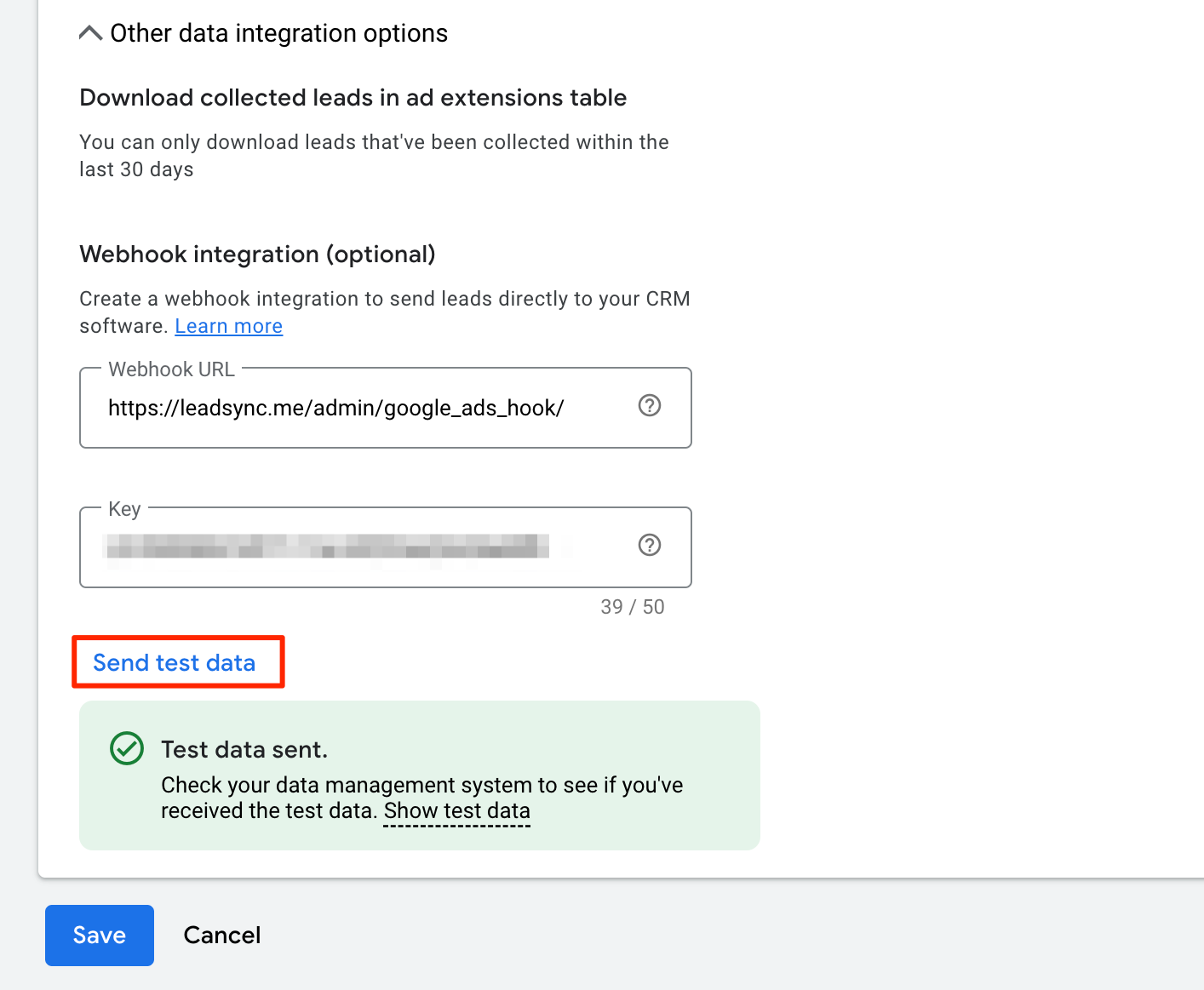
You can test your lead notification setup by click the Send test data link in you Google Ads lead extension setup.
What's in the lead email
Each lead email starts with the person's answers: name, email, phone and every question on your form. Any extra details you've chosen to show, such as the form name or when the lead came in, sit underneath in a smaller grey Ad details section. You choose which details appear in Message Settings.
Want to call or text the lead straight from the email? Switch on Action buttons in Message Settings to add Open lead, Call, Text, WhatsApp and Email buttons. They're off by default. See Call, text or mark a lead straight from your lead alert.
Start syncing leads from your ad platform in under 2 minutes. No credit card required.
Start Free Trial