Setting up Meta Business Manager Account Lead Access
If you're using Meta (Facebook) Business Manager and are a Business admin, here's how to setup access.
Note
If you manage lead ad campaigns for other businesses, you'll need access to their Meta Business Manager. There are two ways to do this — see below.
Option 1: Added as a Business Admin (Simplest)
Ask your client to add you as an Admin (or Employee) of their Business Manager directly. This is the simplest approach and gives LeadSync immediate access to their pages and ad accounts.
Your client goes to: Business Settings → People → Add People → enters your Facebook email → assigns Admin or Employee role.
Once added, disconnect and reconnect your Facebook account in LeadSync, and the client's pages and ad accounts should appear.
Option 2: Agency Partner Access
If your agency is added as a Partner to the client's Business Manager (the standard approach for agencies), there's one extra step most people miss.
The BM-level partnership alone isn't enough — your personal Facebook profile also needs to be assigned access to the specific assets (Page and Ad Account) within that partner relationship.
Ask your client to:
- Go to Business Settings → Accounts → Pages → select the relevant page → Assign Partners or Assign People → add your personal Facebook account
- Repeat for the Ad Account: Business Settings → Accounts → Ad Accounts → select the account → Assign Partners/People → add your personal Facebook account
Once your personal profile has asset-level access, disconnect and reconnect Facebook in LeadSync and they should appear.
Connecting in LeadSync
-
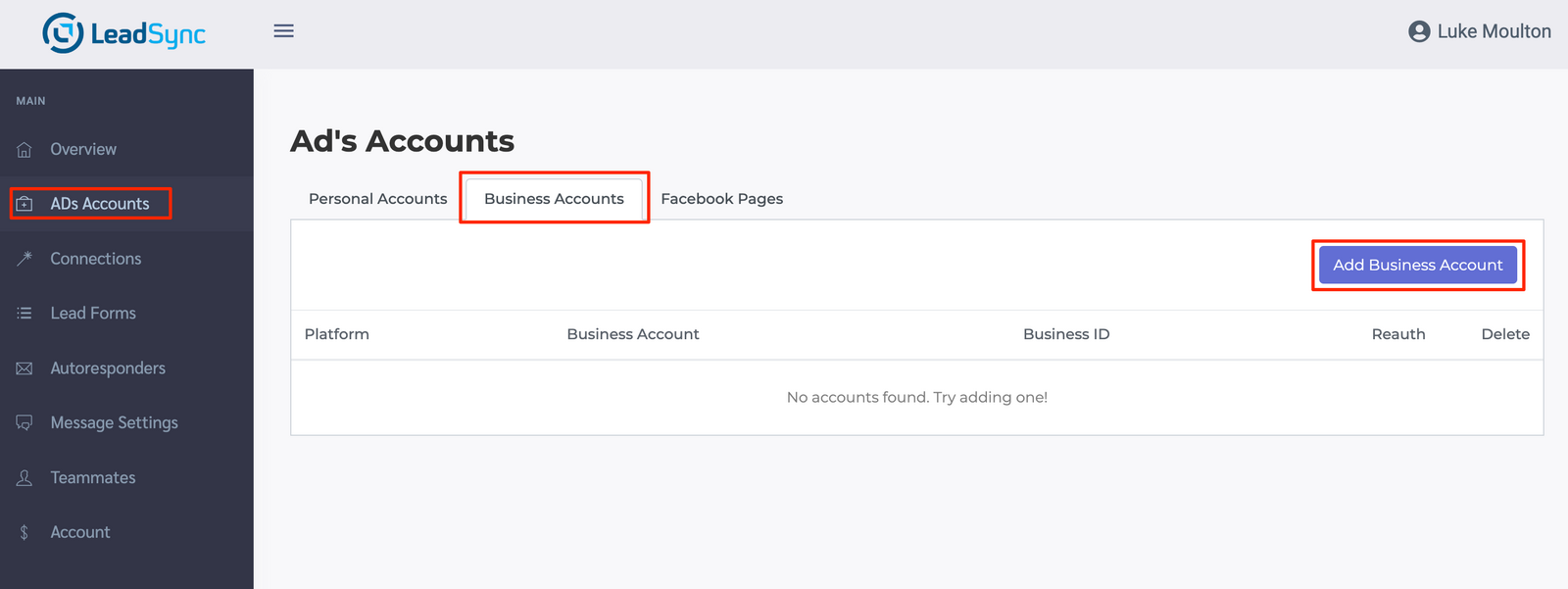
From the ADs Accounts section, click the Business Accounts Tab, then the Add Business Account button
-
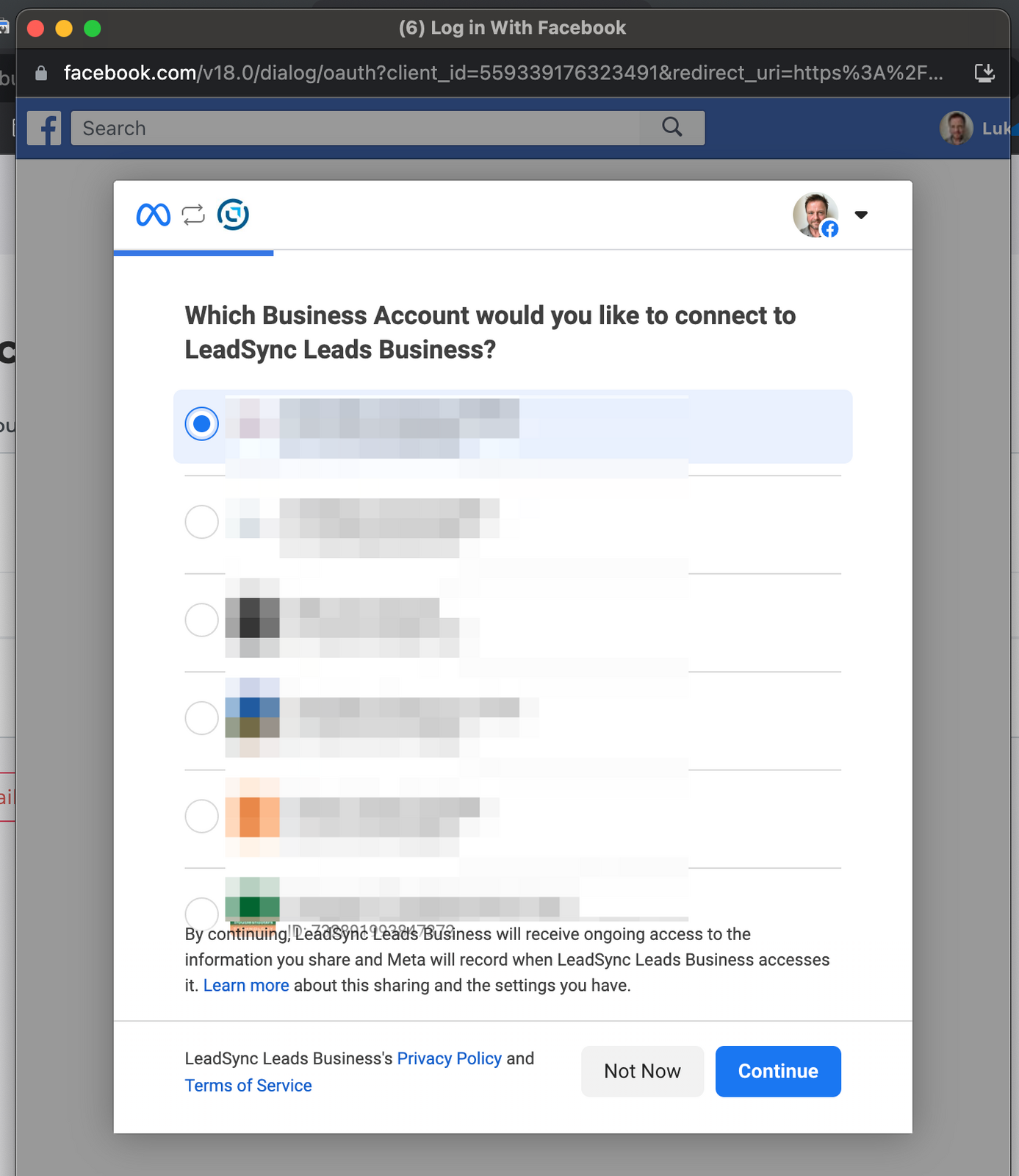
Select the Business account you want to connect to:
-
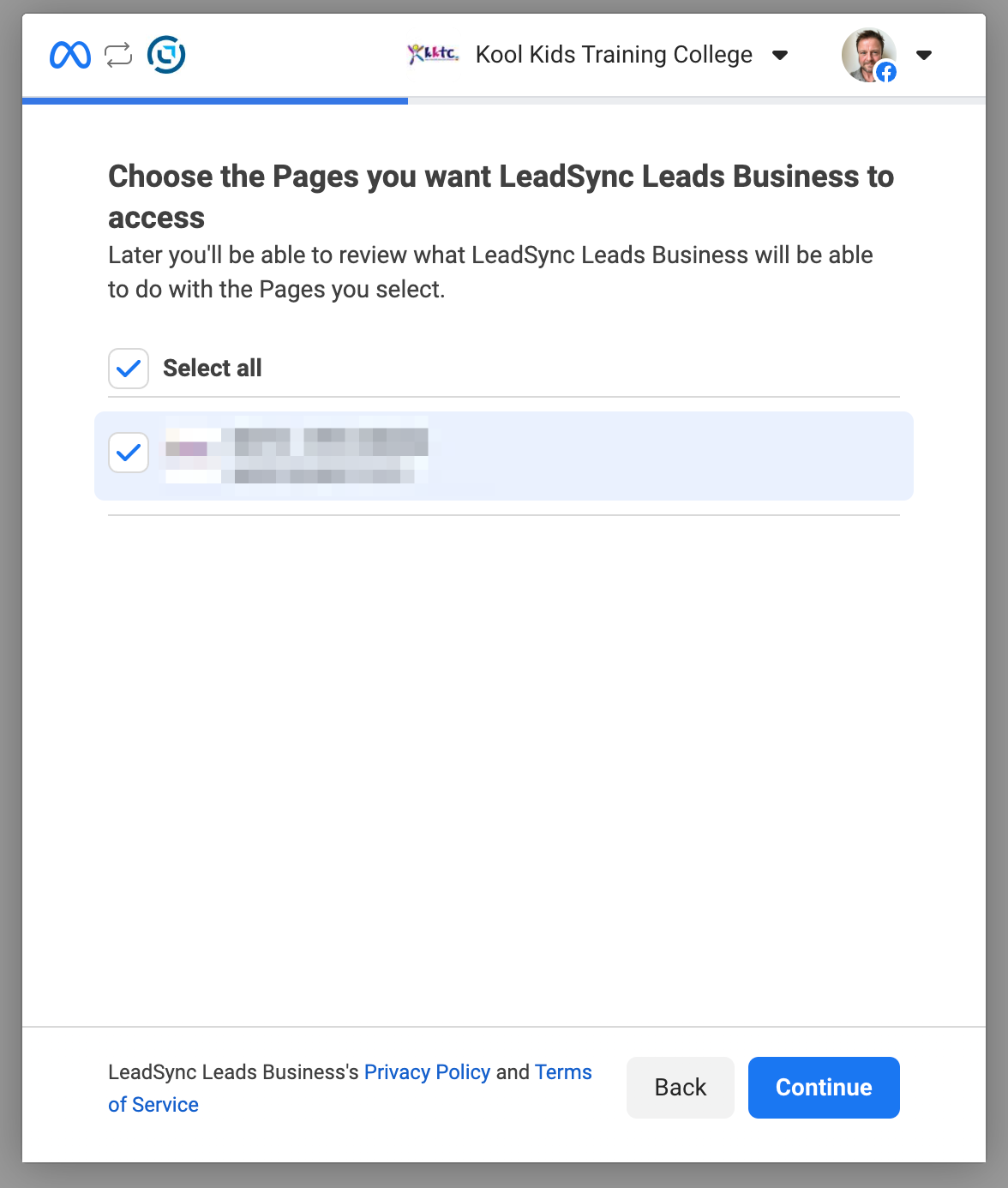
Select the Page you're using in your Lead Ads campaign:
-
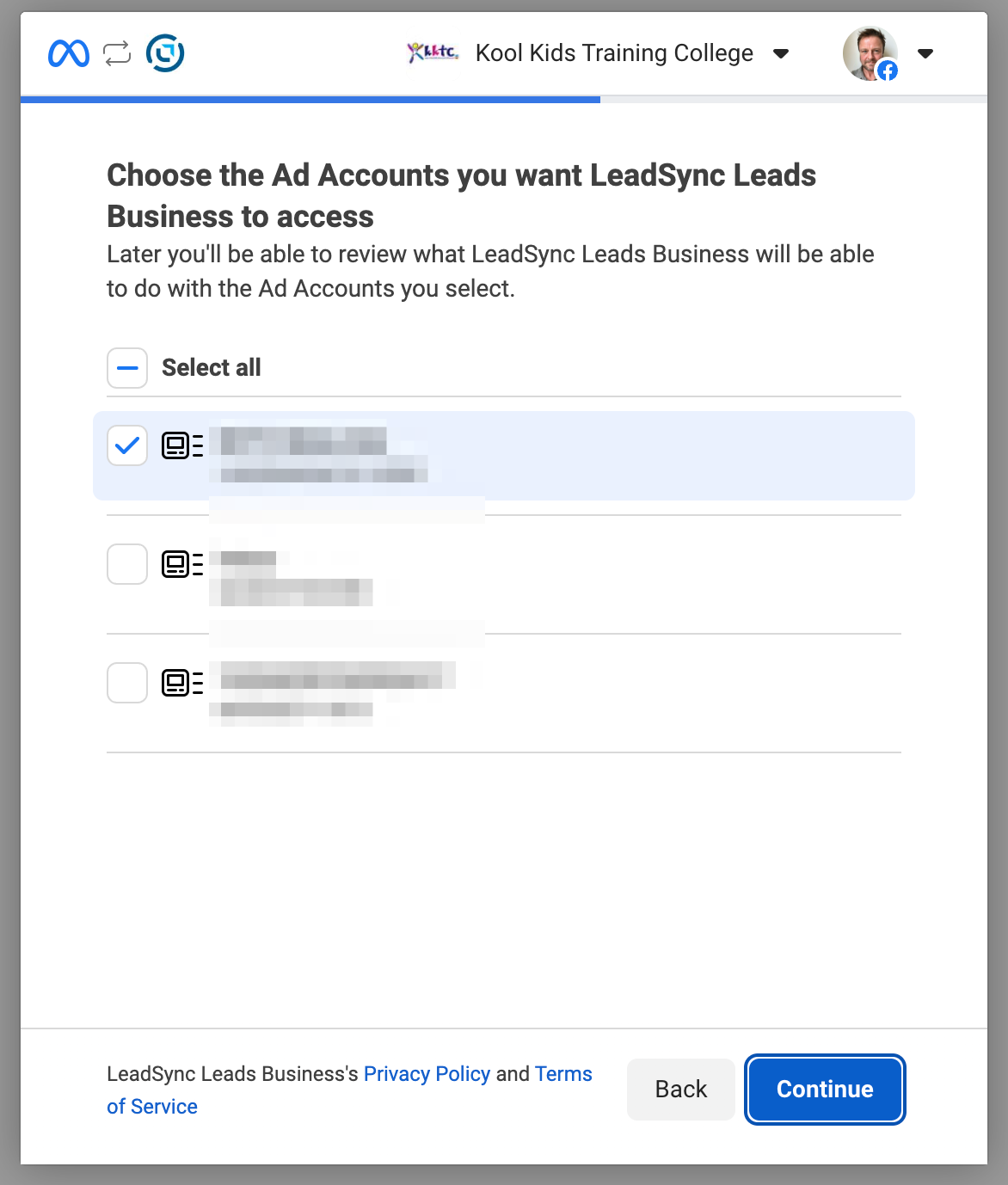
Select the ad account you're using in you lead ad campaign:
-
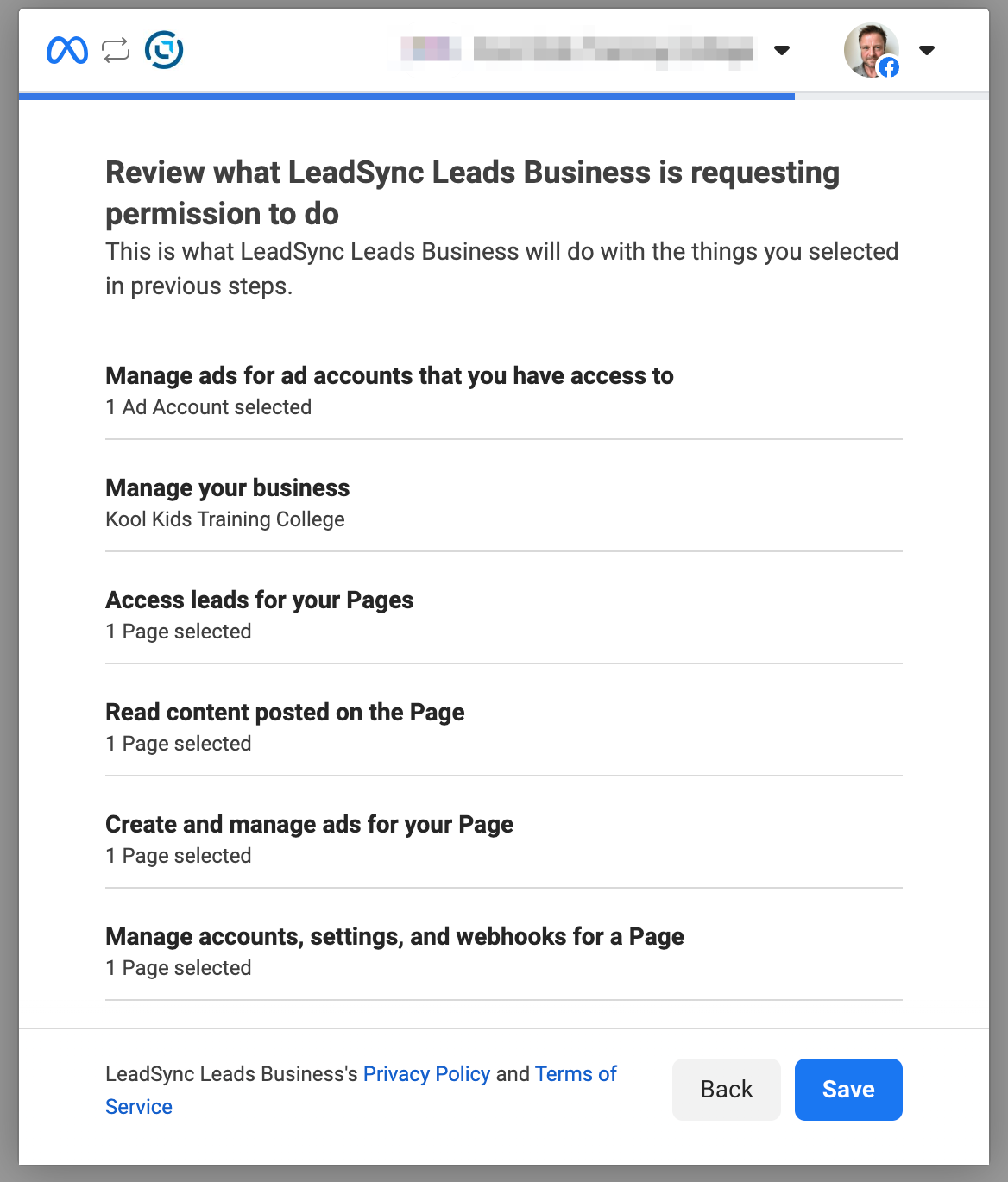
Confirm the access details:
Now you can go ahead and set up an Email connection or one of our other CRM integrations.